Getting Started
This section covers installation of the SDK, accessing an xPico 600 series device, and a quick start guide to help you build and deploy your first application.
Installing the SDK
PC Specifications
Linux Specifications:
The SDK has been tested with the following PC specifications.
- Operating System: Ubuntu 18.04
- CPU: Intel Core 2 Quad CPU Q8300 @ 2.50GHz
- RAM: 4.0 GB
- Free disk space: 1 GB or more is recommended
Important
Always back up your custom code in the custom/module directory when updating or reinstalling the SDK.
Installing the Linux SDK in Ubuntu
To install the SDK in Linux:
- Download the latest version of the SDK installation file.
- Extract the .tar file into a new directory. This is referred to as the installation directory in this document.
- From the command line, navigate to the installation directory and type
./install_environment.shto install the necessary packages.
- Type
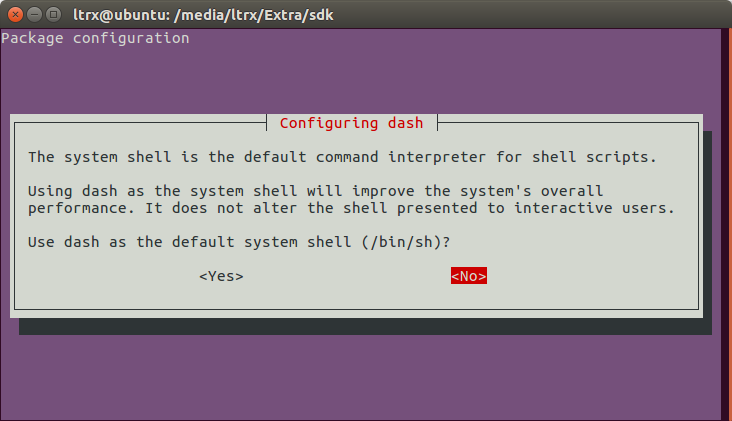
sudo dpkg-reconfigure dashfrom the command line.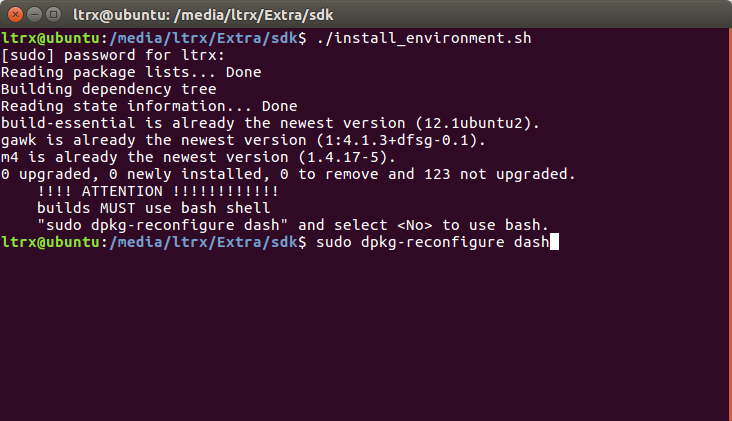
- Select <No> to use bash.