Getting Started
You can connect to your xPico 600 module to begin configuring it in a few simple steps.
How do you want to connect?
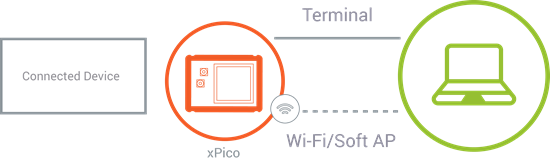
- Connect to the Web Manager. Use this method to connect with a web browser over Wi-Fi or Ethernet.
- Connect to the Serial Terminal. Use this method to connect to the serial port and access the Command Line Interface (CLI).
What do you need?
You need the xPico 600 gateway in one of the following forms:
- The evaluation board kit. Connect the antenna and plug in the power supply to the evaluation board. Switch the power to ON.
- Your device or your evaluation board with the gateway attached and powered on. For pinout information, see the Lantronix xPico 600 product page.
Depending on how you want to connect, you also need one of the following:
- For Wi-Fi or network connection, a PC or mobile device with Wi-Fi and web browser to connect to the gateway using the SoftAP interface.
- For serial connection, a PC with serial terminal connected to the device UART Line 1.