Overview
What's in the box?
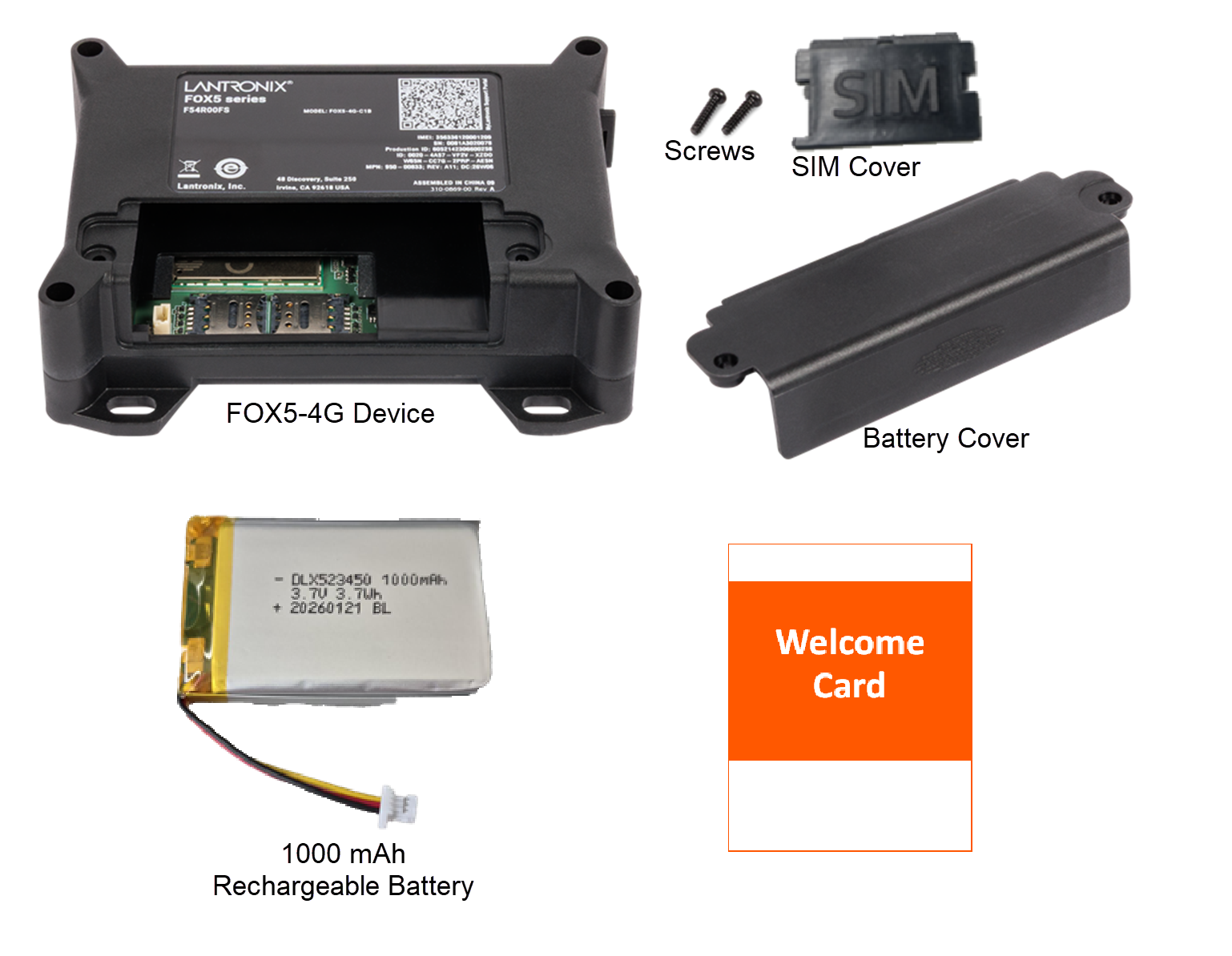
Unpack and verify the contents.
Scan the QR code on the Welcome Card or visit www.lantronix.com/mylantronix to register on the MyLantronix Portal.
Hardware Overview
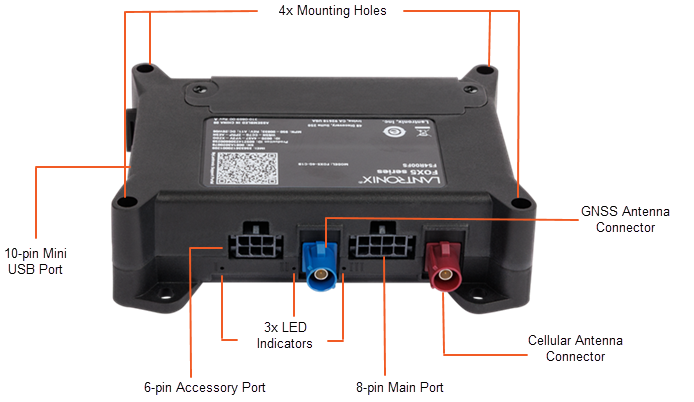
LED Indicators
The FOX5 device has 3 LED indicators (red, green, and yellow). The table below provides LED information.
| LED | LED FUNCTION | LED STATE | DEVICE STATUS |
|---|---|---|---|
| Red | Power status | On | Running on external power |
| Blinking | Running on battery or insufficient external power | ||
| Green | GNSS status | Blinking | No GNSS fix but searching |
| On | Valid GNSS fix | ||
| Yellow | Cellular network status | Off | No cellular network |
| Fast blinking | Cellular network connected | ||
| Slow blinking | Cellular data connected | ||
| On | Connected to Percepxion |